
What is an Instagram Audit? An Instagram audit is a complete health check of your Instagram account. It covers your content performance, audience demographics, engagement trends, and growth gaps. An AI-powered Instagram audit pulls real data through API tools, analyzes patterns no human would catch manually, and produces a fix-it roadmap in minutes instead of days.
In this guide, you will learn the exact Instagram audit process I use with AI tools to pull real data, spot what is broken, and build a fix-it plan in under 30 minutes.
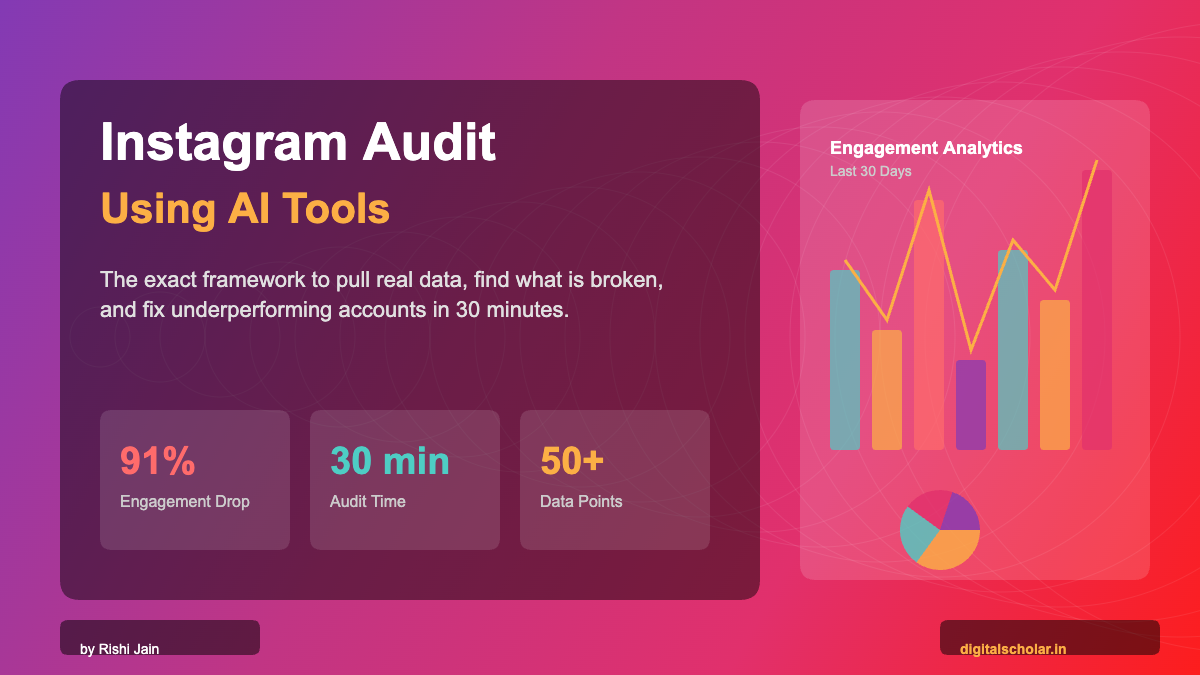
I run an account with 244,338 followers. And last month, my engagement dropped 91%.
Not a typo. 91%.
My daily engaged accounts fell from 8,155 to 746 in 30 days. I was posting consistently. Reels were going out. Comments were coming in. Everything looked fine on the surface.
But the algorithm was quietly burying me.
I only caught it because I ran a proper Instagram audit using AI tools. Not the fluffy kind where you look at your grid and fix your bio. The kind where you pull 30 days of raw data through an API, feed it to an AI model, and get a brutally honest diagnosis of every problem killing your growth.
This guide is that exact process. The same tools, the same prompts, the same workflow I used on my own account. I am going to share everything, including the embarrassing parts.
Why Manual Instagram Audits Are a Waste of Time in 2026
Here is what most people do when they want to audit their Instagram account.
They open the Instagram app. Scroll through their last 9 posts. Check which one got the most likes. Look at their follower count. Maybe open Instagram Insights and glance at reach for the week.
That is not an audit. That is daydreaming with data.
A real Instagram audit requires you to analyze 30 to 90 days of granular data. Reach per post. Engagement rate by content type. Save-to-share ratios. Audience age and gender splits. Sponsored versus organic performance gaps. Comment-to-reach ratios that reveal CTA fatigue.
Doing this manually takes 3 to 4 hours minimum. And you will still miss patterns.
AI does it in 7 minutes. I timed it.
What an AI-Powered Instagram Audit Actually Covers
When I say AI-powered audit, I mean connecting your Instagram Business account to a data pipeline, pulling every metric through the Instagram Graph API, and then using an AI model to analyze patterns, diagnose problems, and recommend fixes.
Here is what it covers that a manual check never will:
- Daily reach trendlines (not weekly averages that hide the real decline)
- Engagement-to-reach ratios per post (the real performance metric, not vanity likes)
- Content type comparison (Reels vs Carousels vs Feed, with actual numbers)
- Sponsored vs organic performance gap (most creators never measure this)
- Caption pattern analysis (duplicate content detection that kills algorithmic trust)
- Audience demographic fit (are you attracting the people you actually sell to?)
- CTA effectiveness over time (comment-bait fatigue is real and measurable)
The Exact Tools You Need for an AI Instagram Audit
You need three things: a data connector, an AI brain, and a visualization layer. That is it.
- Windsor.ai for pulling your Instagram data through the official API
- Claude by Anthropic for AI-powered analysis and diagnosis
- A visualization layer (Claude builds this for you with interactive charts)
1. Windsor.ai (Your Data Pipeline)
Windsor.ai connects to your Instagram Business account through the official Graph API and pulls every metric into a structured format. I use it because it also connects to Meta Ads, Google Ads, and Search Console in the same dashboard, so I can cross-reference paid and organic performance.
How to Set Up Windsor.ai for Instagram
- Go to windsor.ai and create a free account
- Click “Add Connector” and select Instagram
- Authenticate with your Facebook Business account (Instagram must be linked)
- Select your Instagram Business profile from the accounts list
- You are done. Data starts flowing immediately.
Windsor.ai is available as a Claude MCP integration. This means you can connect it inside Claude’s chat interface and pull data without leaving the conversation. No code, no spreadsheet exports, no manual downloads.
Pricing: Windsor.ai has a free tier for basic pulls. Paid plans start around $19/month for higher API limits.
2. Claude by Anthropic (Your AI Analyst)
Claude is the AI model I use to analyze the data. Not ChatGPT (I have used both extensively). Claude’s MCP (Model Context Protocol) integrations let it directly pull data from Windsor.ai, Semrush, and other tools without you having to copy-paste anything.
You type a prompt. Claude pulls your Instagram data live. Analyzes it. Gives you a diagnosis. Builds you an interactive dashboard. All in one conversation.
Cost: Claude Pro is $20/month. For what it does, this is the single best AI subscription I pay for.
3. Alternatives Worth Knowing
Look, Windsor.ai plus Claude is my personal stack. But you should know the alternatives.
| Tool | Best For | Pricing | My Take |
|---|---|---|---|
| Iconosquare | Instagram analytics, competitor tracking | From $49/mo | Good UI, limited AI |
| Sprout Social | Full social suite, listening, publishing | From $199/mo | Enterprise, expensive for solos |
| Metricool | Multi-platform analytics, scheduling | Free tier available | Decent free, weak AI analysis |
| NotJustAnalytics | Quick Instagram profile audits | Free | Surface-level, no API depth |
| Later | Scheduling + basic analytics | From $25/mo | Scheduling first, analytics second |
| HypeAuditor | Influencer audit, fake follower detection | From $299/mo | Great for brand safety audits |
Here is my honest take. For data depth plus AI analysis, nothing beats the Windsor.ai + Claude combo right now. The alternatives are either too expensive, too surface-level, or they give you dashboards but zero strategic insight. Windsor gives you raw data. Claude turns that data into a diagnosis. That combination is what makes this work.
The Complete Instagram Audit Workflow (Step by Step)
This is the exact workflow I ran on my own account. Follow it in order.
- Pull Your Data using Windsor.ai + Instagram Graph API
- Run the Diagnosis with Claude analyzing every metric
- Build the Dashboard with interactive charts and visuals
- Generate the Fix-It Roadmap with a week-by-week action plan
Phase 1: Pull Your Data
Once Windsor.ai is connected to your Instagram account, you can either use it inside Claude’s MCP integration or pull data directly from the Windsor dashboard.
If You Are Using Claude with Windsor MCP
Just open Claude and type this prompt:
PROMPT: Pull Instagram Data

Pull my Instagram data from Windsor.ai for the last 30 days. Get me:
1. Daily reach and accounts engaged (trending over time)
2. Post-level data: date, type (Reel/Feed/Carousel), reach, engagement, likes, comments, saves, shares, views
3. Audience demographics: age breakdown and gender split
4. My bio and follower count

Present the raw numbers first before any analysis.
Claude will connect to Windsor, authenticate your account, and return structured data. No spreadsheets. No exports. No manual work.
If You Are Using Windsor Directly
- Log into windsor.ai
- Select your Instagram connector
- Set date range to last 30 days
- Export data as CSV with fields: date, media_type, reach, engagement, likes, comments, saves, shares, views
- Upload the CSV to Claude and proceed with the analysis prompts below
Phase 2: Run the Diagnosis
This is where AI earns its keep. You have the raw data. Now you need the analysis.
PROMPT: Instagram Audit Diagnosis

Analyze this Instagram data as a senior social media strategist and CRO expert. Be brutally honest. I want:

1. REACH HEALTH: What is my average reach rate vs followers? Is it declining?
2. ENGAGEMENT QUALITY: Separate vanity metrics (likes) from value metrics (saves, shares). Which posts drive real engagement?
3. CONTENT TYPE ANALYSIS: Break down performance by Reels vs Feed vs Carousels. Which format wins on engagement rate?
4. SPONSORED VS ORGANIC: If any posts are sponsored/branded, compare their performance to organic posts.
5. CAPTION ANALYSIS: Are there repetitive patterns in captions? Any duplicate content signals?
6. CTA EFFECTIVENESS: Are comment-bait CTAs still working or showing fatigue?
7. AUDIENCE FIT: Does my demographic match my ideal customer?
8. TOP 5 VS BOTTOM 5: What do my best posts have in common? What do my worst posts share?

For each problem you find, give me: the specific data point proving it, the severity (Critical/High/Medium/Low), and a concrete fix I can implement this week.
When I ran this on my account, Claude identified 7 distinct problems. The biggest one? I had copy-pasted the exact same 300-word caption on every single post for a month. I did not even realize I was doing it that consistently. The algorithm noticed before I did.
Phase 3: Build the Dashboard
Data in a wall of text is hard to act on. You need a visual layer.
PROMPT: Build Audit Dashboard

Using this Instagram audit data, build me a premium interactive dashboard as an HTML file. Dark theme with orange accents. Include:
- Profile overview hero card (followers, reach rate, engagement rate)
- Reach trend line chart (30 days) with engagement overlay
- Post performance table (sortable by engagement, saves, shares)
- Content type breakdown (Reels vs Feed vs Carousel) with average metrics
- Sponsored vs Organic comparison
- Audience demographics (age bars + gender donut)
- Top 5 vs Bottom 5 posts
- Problems and fixes section with severity ratings
- Overall health score out of 100

Make it mobile responsive and interactive.
Claude will generate a fully functional HTML dashboard you can open in any browser. I am not exaggerating. It builds working Chart.js visualizations, sortable tables, and interactive elements in a single output. This is the dashboard I shared publicly on my Instagram, and people could not believe it was built in minutes.
Phase 4: Generate the Fix-It Roadmap
The audit is useless without action. This final prompt turns problems into a week-by-week plan.
PROMPT: 4-Week Recovery Plan

Based on the Instagram audit findings, create a 4-week content recovery plan.

Week 1: Immediate fixes (bio, caption strategy reset, stop all sponsored content)
Week 2: Content mix correction (introduce carousels, opinion posts, framework content)
Week 3: Engagement rebuild (new CTA strategies, save-optimized content, share-worthy frameworks)
Week 4: Growth acceleration (best-performing format doubling, collaboration content, viral hooks)

For each week, give me: exactly how many posts and what type, specific content ideas, the CTA strategy to use, and the KPI to track.
Case Study: What My Own Instagram Audit Revealed
Let me walk you through what I found on my own account (@rrishijain, 244,338 followers) so you can see what this process looks like with real numbers.
The Numbers That Shocked Me
- Reach rate: 3.9% (healthy accounts at 200K+ should hit 10-15%)
- Engaged accounts: Dropped from 8,155 to 746 in 30 days. That is a 91% collapse.
- Carousels posted: 0. In 30 days. Despite carousels historically being my top format.
- Sponsored posts: 9 out of 30. And 4 were posted back-to-back for the same brand.
- Duplicate captions: The exact same 300-word pitch was copy-pasted on 25 out of 30 posts.
The 7 Problems AI Found
- 1. Copy-Paste Caption Syndrome (Critical): Every post had the identical course pitch. Instagram’s algorithm flags repetitive content. Followers stopped reading, which told the algorithm to stop showing.
Here is the thing. I have managed over 400 crore in ad spend across 500+ brands at echoVME Digital. I teach this stuff for a living at Digital Scholar. And I still missed these problems until an AI audit caught them. Nobody is immune to blind spots when it comes to their own content.
What My Best and Worst Posts Had in Common
Best post: “I track competitor ads daily.” 32,869 reach. 6,058 engagement. 1,295 saves. 1,364 shares. This was a practitioner sharing a real workflow. No gimmick CTA. Pure value.
Worst post: “Comment Carousel to learn how to do it.” 2,900 reach. 234 engagement. A lazy CTA with zero context on a sponsored tool.
The pattern was obvious once the data was in front of me. When I showed up as a practitioner with real opinions and real results, the algorithm rewarded me. When I showed up as an AI tool affiliate with a pasted caption, it punished me.
Instagram Audit FAQ (What People Actually Ask)
These are the questions I get asked the most about running an Instagram audit. Straight answers, no fluff.
How often should I audit my Instagram?
Run a full audit once a month. Run a mini check (just reach trends and engagement rate) weekly. If you are running paid campaigns alongside organic, audit weekly without exception.
Can I audit Instagram for free?
Yes, partially. Instagram’s built-in Insights gives you surface-level data. NotJustAnalytics gives you a free profile snapshot. But for post-level analysis, caption pattern detection, and AI-powered diagnosis, you need Windsor.ai (free tier available) plus Claude ($20/month) or a similar setup.
What is a good engagement rate on Instagram in 2026?
For accounts with 100K to 500K followers, a 3% to 6% engagement rate on reach is healthy. Below 2% means something is structurally wrong. Above 8% means your content is exceptional. My account was sitting at 8.7% engagement on reach, which sounds great until you realize my reach itself had collapsed to under 4% of followers.
Does posting Reels every day help growth?
No. Volume without variety kills accounts. My audit proved it. I posted almost exclusively Reels for 30 days and my reach declined. The algorithm needs signal diversity: Reels for reach, Carousels for saves, Feed posts for community. Mix all three.
How do I know if my sponsored posts are hurting my account?
Run the sponsored vs organic comparison in your audit. If sponsored posts get less than 70% of the reach and engagement of your organic posts, they are dragging your account down. In my case, sponsored posts got 39% less reach and 62% less engagement. That is a clear signal to restructure how I do brand deals.
What is Windsor.ai and why use it over Instagram Insights?
Windsor.ai is a data connector that pulls Instagram metrics through the official API into a format AI tools can analyze. Instagram Insights shows you surface numbers inside the app. Windsor gives you raw, structured data you can query, filter, compare across time periods, and feed into AI models. The depth is not comparable.
Bonus: 5 More Prompts for Your Instagram Audit
Copy these. Use them. They work.
PROMPT: Competitor Benchmarking

I have [X] followers on Instagram with an average engagement rate of [Y]%. Research 5 accounts in the [your niche] space with similar follower counts. Compare their content frequency, format mix (Reels vs Carousels vs Feed), engagement rates, and posting times. Tell me where I am underperforming relative to the benchmark.
PROMPT: Content Calendar from Audit Data
Based on my Instagram audit data, create a 2-week content calendar. Use my top 5 performing post formats and themes as the foundation. Include: posting date, content type (Reel/Carousel/Feed), topic hook, CTA strategy, and target metric. Aim for 5 posts per week with a mix of content types.PROMPT: Caption Rewrite Batch
Here are my last 10 Instagram captions. Rewrite each one to be: under 150 words, unique (no two should share the same structure), with a different CTA for each post. Alternate between: save-focused CTA, share-focused CTA, comment question CTA, DM CTA, and no CTA (let the content stand alone). Keep my voice: clear, practitioner-level, opinionated.PROMPT: Hashtag Audit
Analyze the hashtags used across my last 30 Instagram posts. Tell me: which hashtags appeared most frequently, which posts with specific hashtags got above-average reach, and recommend a set of 15-20 hashtags organized into 3 tiers: 5 broad (100K-1M posts), 5 medium (10K-100K), 5 niche (under 10K). My account niche is [your niche].PROMPT: Engagement Recovery Script
My Instagram engagement has dropped [X]% in the last 30 days. Based on this data [paste your audit findings], give me a 7-day engagement recovery plan. Each day should have: what to post, how to engage with others (comments, DMs, stories), a specific action to boost algorithmic signals (saves, shares, watch time), and one thing to stop doing.Stop Guessing. Start Auditing.
Most people post on Instagram and hope. They hope the algorithm picks them up. They hope the right people see it. They hope their engagement comes back.
Hope is not a strategy.
An Instagram audit using AI tools takes under 30 minutes and tells you exactly what is broken and how to fix it. I do this for every major account I consult on at echoVME Digital. I do it for my own account at @rrishijain. And we teach this exact process inside our programs at Digital Scholar.
The tools are available. The prompts are in this guide. The only thing missing is you actually doing it.
If you want to learn how to use AI for marketing, content, and career growth beyond just Instagram audits, check out the 30 Days AI Mastery Course at Digital Scholar. 30 days. 15 minutes a day. You will not recognize how you work after it.
About the author: Rishi Jain is the Founder of Digital Scholar, Co-Founder of echoVME Digital, and has trained over 100,000 professionals in AI and digital marketing. He manages ad campaigns across 500+ brands and speaks at TEDx, Republic TV, and JITO events across India. Follow him @rrishijain on Instagram.